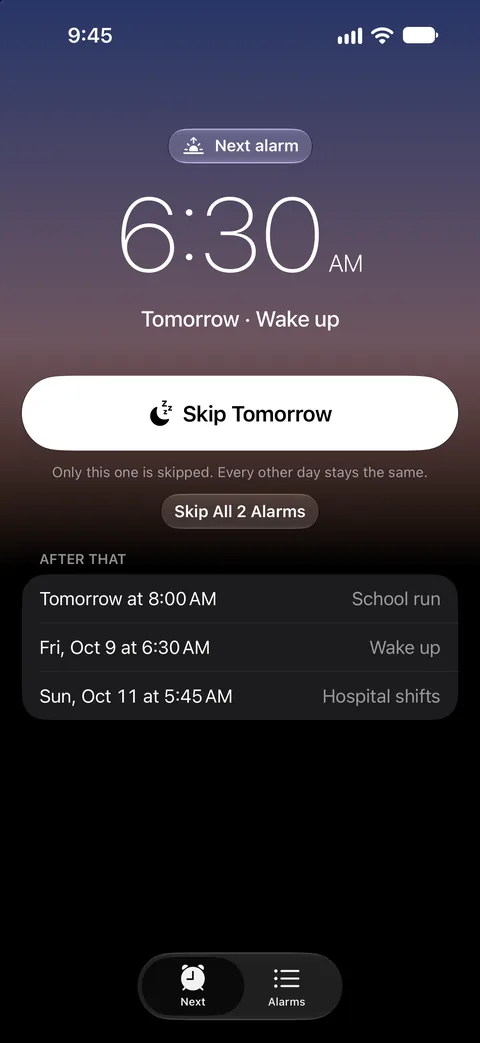
One tap at bedtime
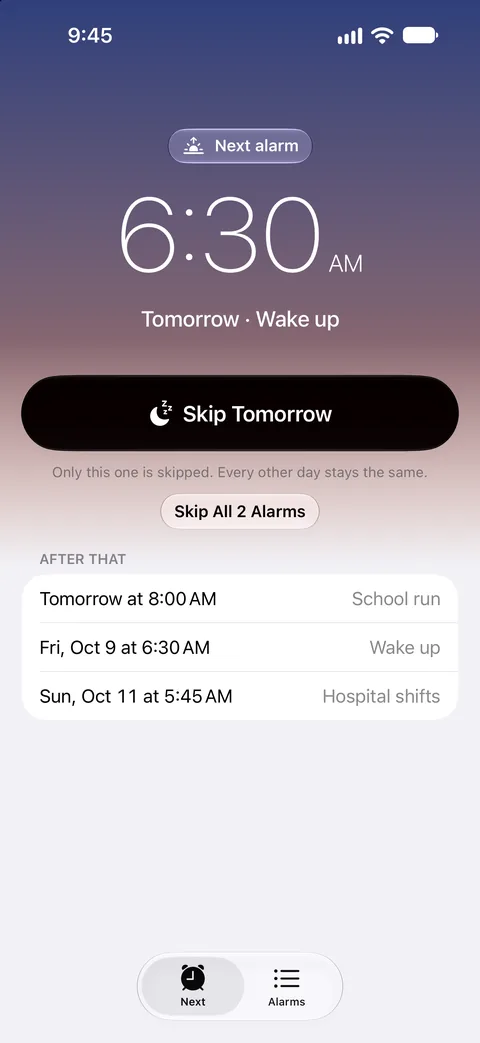
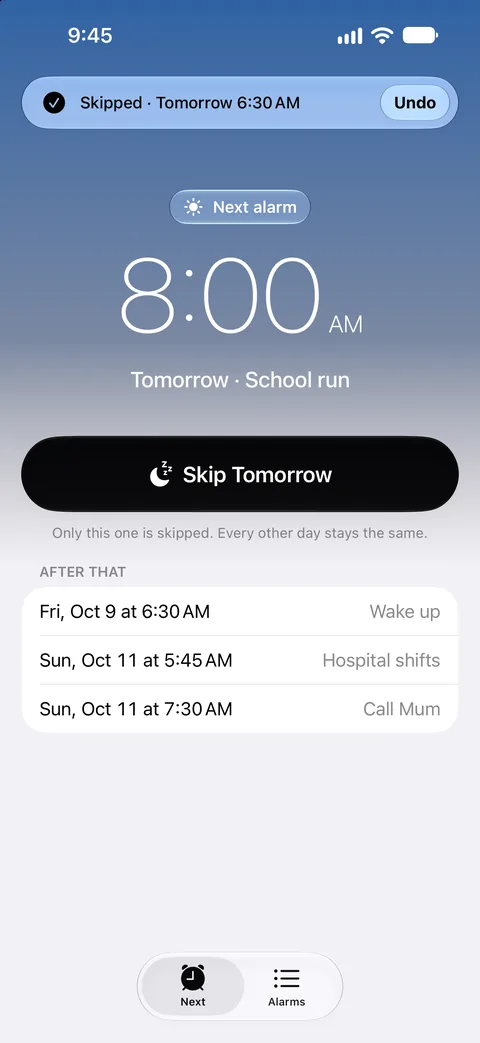
Open the app and the first thing you see is your next alarm. Tap Skip Tomorrow and it won't ring. The day after, and every day after that, it rings as usual. Changed your mind? Undo.
- Skip from the Lock Screen, Control Center or Siri
- Several alarms tomorrow? Skip them all at once
- A widget that always shows the next one
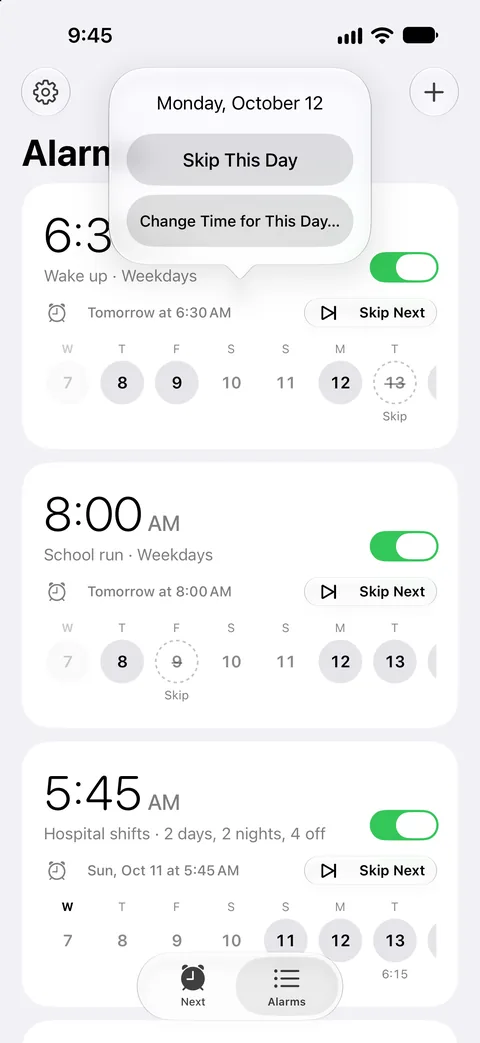
Every day at a glance
Each alarm shows its next two weeks. Tap any day to skip it, ring at a different time just that once, or ring anyway on a public holiday. The rest of the week doesn't move.
- Skip a run of days for a holiday or a school break
- Public holidays skipped automatically, for more than 200 countries
- One-off alarms on a date, like an early flight
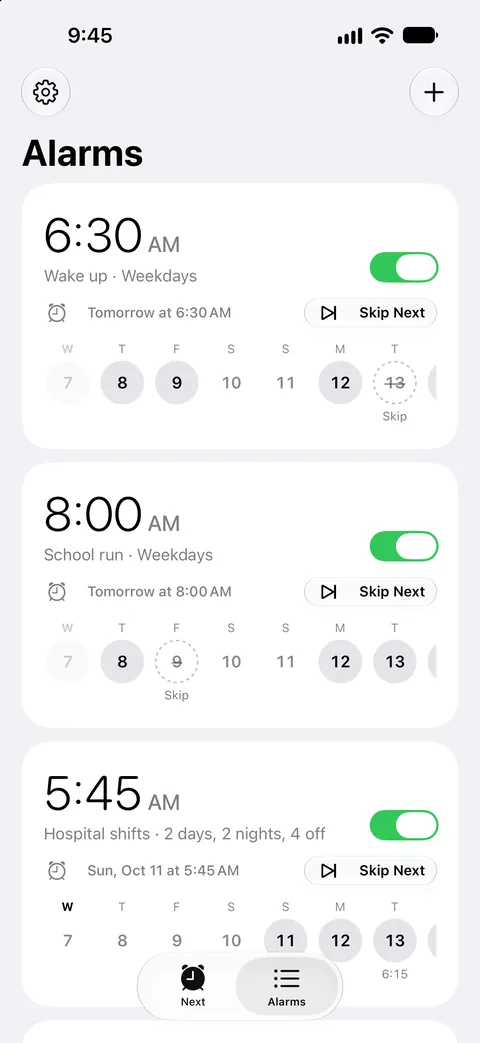
Shifts, fortnights and odd weeks
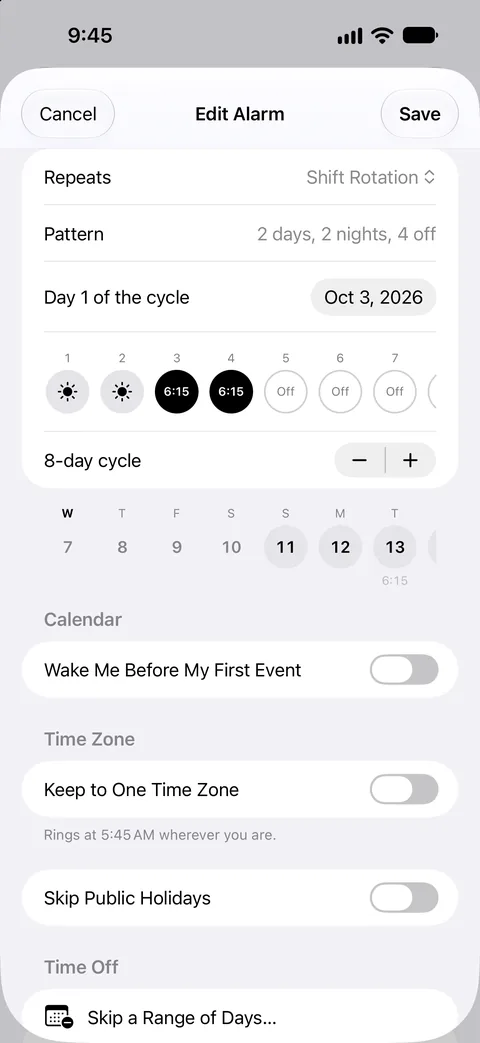
Pick a rotation like 4 on 4 off, 2-2-3, or two days, two nights and four off, and give night shifts their own time. Or set an alarm for every other Monday. Dayside Alarm works out which days ring.
- Rotations from 2 to 28 days, with a different time on any day
- Every 2 to 8 weeks, on the days you choose
- A live preview of the next two weeks as you edit
Your calendar, your time zone
Let an alarm follow your calendar: 45 minutes before your first meeting, never before 6:30 and never after 8:00, and at your usual time on empty days. Only start times are read, on your iPhone.
Travelling? Each alarm either follows local time or stays on home time, so a call home rings at the right moment wherever you land.
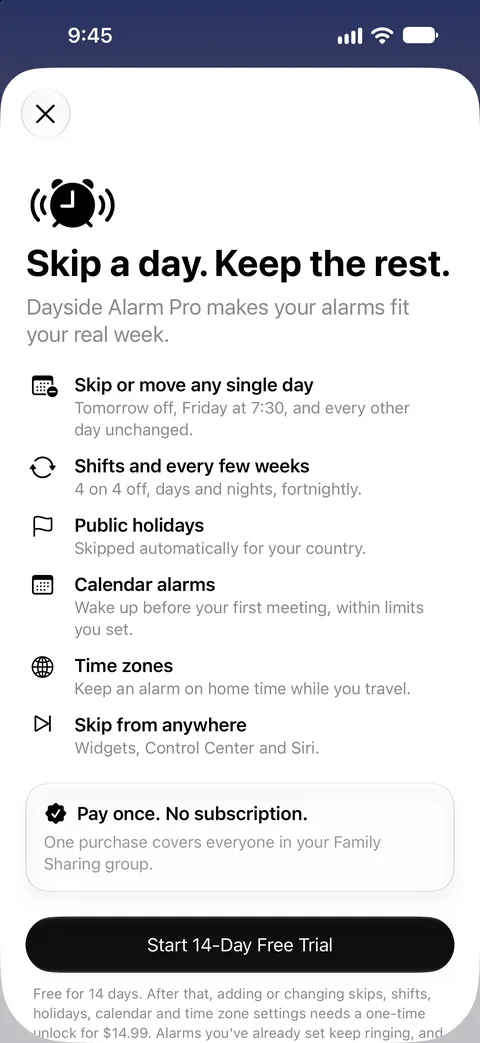
Pay once. No subscription.
Try every feature free for 14 days. After that, a single purchase keeps them for good, and covers everyone in your Family Sharing group.
- Plain repeating alarms are free forever
- Alarms you've set keep ringing after the trial, skips included
- No ads, no account, no data collected
Questions
Will Dayside Alarm ring in Silent mode?
Yes. It uses the same alarm system as Apple's Clock app, so alarms ring in Silent mode and through Focus, show on the Lock Screen and in the Dynamic Island, and reach your Apple Watch.
Is it a subscription?
No. Try every feature free for 14 days, then unlock them with one purchase. Plain repeating alarms are free forever, and one purchase covers your Family Sharing group.
What happens when the trial ends?
Every alarm you've set keeps ringing exactly as planned, including days you've skipped. Adding new skips, shifts, holidays, calendar or time zone settings needs the one-time unlock. Turning alarms off or deleting them never does.
Do I have to open the app for alarms to keep ringing?
No. Dayside Alarm sets a month of alarms ahead and tops them up whenever you open it, dismiss an alarm, or iOS gives it a moment in the background. The alarm list says how far ahead they're set, and warns you well before that runs out.
Does it read my calendar?
Only if you turn on a calendar alarm. Then the start times of your events are used, on your iPhone. Titles, places and people aren't kept or sent anywhere.
Which devices does it run on?
iPhone and iPad with iOS 26.1 or later. Alarms also show on a paired Apple Watch.
Skip tomorrow. Keep the rest.
Dayside Alarm is on the App Store for iPhone and iPad. Free, with 14 days of Pro, then one purchase.
Download on the App Store